A blog SEO strategy is a structured plan for creating, organizing, and optimizing blog content to rank in search engine results pages and generate consistent organic traffic.
A content calendar gives that strategy a publishing schedule, ensuring you cover topics in the right order and at the right time. Together, they form the backbone of sustainable organic growth for any website.
Table of Contents
- What Is a Blog SEO Strategy?
- Why Every Website Needs One
- Blog SEO Strategy vs Content Marketing Strategy
- Blog SEO Strategy vs Editorial Calendar
- The Foundation of a Successful Blog SEO Strategy
- Define Business Goals
- Understand Your Audience
- Map Search Intent
- Identify Core Topics
- Analyze Competitors
- Perform Content Gap Analysis
- Keyword Research for Blog SEO
- Finding Primary Keywords
- Building Keyword Clusters
- Semantic Keywords
- Question-Based Keywords
- Keyword Prioritization
- Building Topic Clusters and Pillar Pages
- What Is a Pillar Page?
- What Are Topic Clusters?
- Creating a Topical Map
- Internal Linking Best Practices
- How to Create an SEO Content Calendar
- Plan Monthly Themes
- Prioritize Content by Business Goals
- Schedule Evergreen and Seasonal Content
- Assign Publishing Responsibilities
- Plan Content Refresh Cycles
- Blog SEO Workflow: From Idea to Published Article
- On-Page SEO Checklist for Every Blog Post
- Content Optimization After Publishing
- Refreshing Older Content
- Improving Internal Links
- Updating Statistics
- Expanding Thin Content
- Republishing vs Updating
- Measuring the Success of Your Blog SEO Strategy
- Organic Traffic
- Keyword Rankings
- Click-Through Rate
- Engagement Metrics
- Conversions
- Content ROI
- Common Blog SEO Strategy Mistakes
- Blog SEO Strategy Checklist
- Blog SEO Strategy: Key Comparison Table
- Conclusion
- Frequently Asked Questions
What Is a Blog SEO Strategy?
A blog SEO strategy is the deliberate process of planning, creating, and optimizing blog content so that it ranks for your main keyword, satisfies search intent, and builds topical authority over time.
It covers keyword research, content structure, internal linking, and post-publication optimization, all working as a connected system, not a collection of individual articles.
Why Every Website Needs One
Publishing blog posts without a strategy is one of the fastest ways to waste a content budget. Without a clear plan, you end up with orphaned posts, cannibalized keywords, and a site that Google cannot categorize or trust.
A proper SEO blog strategy solves this by aligning each piece of content with a specific focus keyword, audience intent, and business goal. The result is a site that builds domain authority progressively rather than starting from scratch each time you publish content.
Key reasons to build a strategy before writing a single post:
- Prevents keyword cannibalization: Two posts targeting the same keyword split ranking signals and confuse search engines.
- Maximizes crawl efficiency: A structured site makes it easier for Googlebot to find and index new content.
- Supports conversion: Content mapped to business goals drives leads, not just pageviews.
Blog SEO Strategy vs Content Marketing Strategy
These two terms overlap but serve different functions. A content marketing strategy covers all content formats, videos, podcasts, social posts, email, and more. A blog SEO strategy focuses specifically on written blog content and its performance in organic search.
Think of the blog SEO strategy as a subset of the broader content marketing plan, one with stricter requirements around keyword targeting, on-page optimization, and search engine signals.
Blog SEO Strategy vs Editorial Calendar
An editorial calendar and a blog SEO strategy are two distinct tools that work together:
- Editorial calendar: Tracks what gets published, by whom, and when — it’s the execution tool that keeps your team on schedule.
- Blog SEO strategy: Defines what topics to pursue, why, and in what order — it’s the decision-making framework that drives what goes on that calendar.
The Foundation of a Successful Blog SEO Strategy
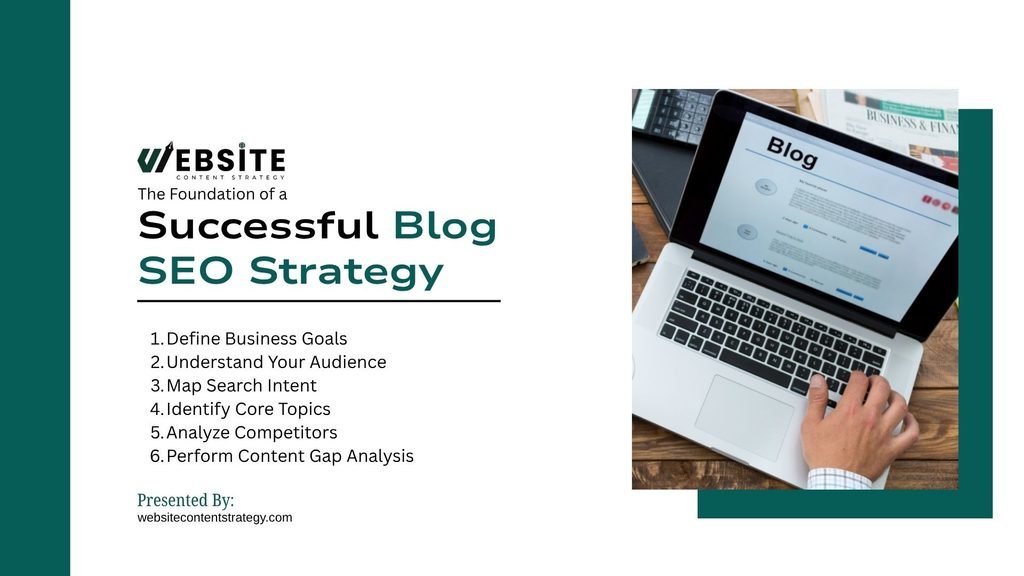
Before writing a single post, you need a strategic foundation. Skipping this step is what separates sites that plateau at 500 monthly visitors from those that scale their monthly traffic to 50,000.
The foundation involves six core decisions that shape everything downstream, from the topics you target to the metrics you track.
Define Business Goals
Organic traffic only matters if it serves a business objective. Before planning content, clarify what you want that content to achieve:
- Lead generation: Posts with strong CTAs that feed contact forms or email lists.
- Product awareness: Educational content that introduces solutions your product solves.
- Revenue attribution: Bottom-of-funnel content targeting high-intent buyers ready to act.
Understand Your Audience
Effective SEO starts with knowing exactly who you’re writing for. A vague demographic like “marketing professionals aged 25–45” won’t cut it. Instead, build a specific reader profile by asking:
- What questions are they typing into Google? For example, a startup founder might search “how to get first 100 customers” rather than “customer acquisition strategies.”
- What language and terminology do they use? A developer audience uses different language than a C-suite executive.
- What problems do they need solved today? Not in six months — right now. Urgency shapes search behavior.
- What outcome do they want? More traffic, more leads, more revenue? Align your content to that end goal.
Tools like SparkToro, Reddit, and even Google’s “People Also Ask” section can reveal exactly how your audience thinks and speaks.
Map Search Intent
Every keyword carries an intent, and mismatching content format to intent is one of the fastest ways to tank your rankings. The four types of search intent are:
- Informational: The user wants to learn. Example: “what is topical authority.”
- Navigational: The user wants to find a specific site or page. Example: “Ahrefs login.”
- Commercial: The user is researching before buying. Example: “best SEO tools for small business.”
- Transactional: The user is ready to act. Example: “buy Semrush subscription.”
A listicle works well for informational intent. A comparison page suits commercial intent. Matching format to intent is one of the highest-leverage moves in any blog optimization strategy.
Identify Core Topics
Rather than chasing hundreds of disconnected keywords, choose three to five core topics your site will own. These become the pillars of your topical authority model. For example, an HR software company might own:
- Employee onboarding
- Performance management
- HR compliance
- Remote workforce management
Each pillar attracts supporting content, building a web of relevance that signals deep expertise to Google and strengthens search visibility across the cluster.
Analyze Competitors
Your competitors have already done years of SEO testing. Use that to your advantage:
- Identify their top-performing posts using tools like Ahrefs’ Site Explorer or Semrush’s Organic Research.
- Find what they rank for that you currently don’t.
- Spot where their content is thin or outdated. A competitor ranking with a 2019 post on a fast-moving topic is a clear opportunity to outrank them with fresher, more detailed content.
- Look at their backlink profile to understand which content earns the most links from other websites in your niche.
For example, if a competitor ranks #2 for “remote onboarding checklist” with a 600-word post, you could outrank them with a comprehensive, well-structured 2,000-word guide.
Perform Content Gap Analysis
A content gap analysis reveals related keywords your competitors rank for that you currently do not. These gaps represent high-value traffic opportunities waiting to be captured. Here is how to action it:
- Use Ahrefs’ Content Gap tool to compare your domain against two or three competitors simultaneously.
- Filter by keywords ranking in positions 1–10 for competitors — these are proven traffic drivers worth targeting.
- Prioritize gaps that align with your business goals. A gap keyword with 1,000 monthly searches and strong commercial intent beats a 10,000-search informational keyword with no conversion potential.
- Look for clusters, not just individual keywords. If competitors rank for 15 variations of “employee performance review templates,” that’s a content cluster worth building out fully.
For instance, if three competitors all rank for “SMART goal examples for managers” and you have no content on the topic, that’s a clear signal to create a dedicated, optimized post.
Keyword Research for Blog SEO

Finding Primary Keywords
Primary keywords are the main terms each post targets. Run thorough keyword research using tools like Ahrefs, Semrush, or Google Keyword Planner to identify keywords with measurable search volume, manageable competition, and clear alignment to your business goals. Most tools will also surface keyword suggestions and fresh keyword ideas you had not considered.
Building Keyword Clusters
A keyword cluster groups semantically related terms around one primary keyword. Rather than writing one post per keyword, you write one post that ranks for the entire cluster. This maximizes the ROI of every article you publish.
Semantic Keywords
Semantic keywords are conceptually related terms that help search engines understand the depth and context of your content. Including them naturally signals topical expertise without requiring exact keyword repetition, and it helps you avoid keyword stuffing in the final draft.
Question-Based Keywords
Questions like “how do I build a blog SEO plan” or “what is a content calendar for SEO” reflect how users actually search. These keywords are essential for capturing featured snippets, People Also Ask boxes, and voice search queries, and increasingly for AI-generated answers in chat-style search tools.
Keyword Prioritization
Not all keywords deserve equal effort. Prioritize based on four factors:
- Search volume: How many people search this term monthly.
- Keyword difficulty: How competitive the SERP is for this term.
- Business relevance: How directly the topic connects to what you sell.
- Funnel stage: Whether the searcher is researching or ready to buy.
Building Topic Clusters and Pillar Pages
What Is a Pillar Page?
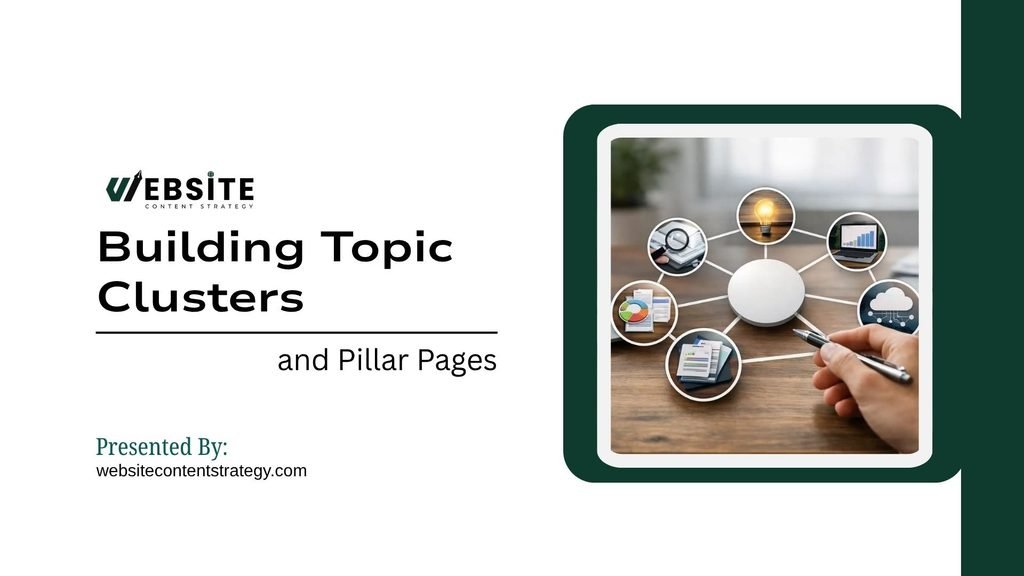
A pillar page is a long-form, comprehensive resource that covers a broad core topic from multiple angles. It links out to cluster posts that cover subtopics in greater depth, creating a structured content hub that reinforces topical authority across your web pages.
What Are Topic Clusters?
Topic clusters are groups of interlinked posts built around one pillar page. Each cluster post targets a specific subtopic or long-tail keyword within the broader subject, then links back to the pillar. This structure distributes authority across the entire cluster and signals depth of expertise to Google. Topic clusters typically consist of:
- A pillar page: The central hub that broadly covers the core topic
- Cluster posts: Individual articles that dive deep into specific subtopics
- Internal links: Connections between the pillar and cluster posts that reinforce site structure
- Long-tail keywords: Specific search terms that each cluster post is built around
Creating a Topical Map
A topical map is a visual or spreadsheet-based plan, often built in a shared Google Docs file, that shows every topic and subtopic you intend to cover. It prevents gaps, avoids overlap, and ensures your content plan builds toward full topical coverage before you expand to new subjects.
Internal Linking Best Practices
Internal links pass authority and guide crawlers through your site architecture. They also improve dwell time by directing readers to related content. The most important internal linking rules to follow:
- Link from high-authority pages: Older, well-ranked posts pass more link equity to new content.
- Use descriptive anchor text: Keyword-rich anchors give Google additional context about the linked page.
- Link cluster posts to the pillar: Every subtopic post should link back to its parent pillar page.
- Avoid orphan posts: Every new post should receive at least one internal link from an existing page.
How to Create an SEO Content Calendar
Plan Monthly Themes
Group content around a central theme each month. Monthly themes keep your publishing focused, make internal linking easier, and help you build topical depth on one subject before moving to the next.
Prioritize Content by Business Goals
Not all content serves the same purpose. Balance the calendar across three content types: top-of-funnel educational posts that build awareness, middle-of-funnel comparison posts that aid decisions, and bottom-of-funnel posts that drive organic traffic toward conversions.
Schedule Evergreen and Seasonal Content
Evergreen content generates traffic year-round. Seasonal content spikes around specific events or dates. A balanced content calendar for SEO includes both, with seasonal posts scheduled four to six weeks before peak search periods.
Assign Publishing Responsibilities
A calendar without ownership fails. Assign each content piece a writer, editor, SEO reviewer, and publisher. Clear ownership prevents bottlenecks and ensures consistent output.
Plan Content Refresh Cycles
Content decays. Statistics become outdated, rankings slip, and search intent shifts. Schedule quarterly reviews of your top-performing posts and annual audits of your entire site.
Blog SEO Workflow: From Idea to Published Article
A repeatable workflow is what separates high-output content teams from those stuck in constant revision cycles. Every post should move through the same eight-stage process to ensure quality, consistency, and search performance.
A strong workflow eliminates guesswork at each stage. When every team member knows their role and the sequence of steps, publishing high-quality content at scale becomes a predictable operation rather than a chaotic sprint.
The end-to-end SEO content planning workflow includes:
- Research: Validate the keyword, analyze top-ranking pages, and identify content gaps.
- Brief: Create a detailed content brief covering keyword targets, headers, word count, and competitor references.
- Write: Draft the post with the target audience and search intent as the primary focus.
- Edit: Review for clarity, accuracy, tone, and logical flow.
- Optimize: Add meta title, meta description, schema markup, and internal links.
- Publish: Format correctly in the CMS, add alt text to images, and confirm URL structure.
- Promote: Share through email, social channels, and link-building outreach.
- Update: Schedule a review date to refresh statistics, expand thin sections, and re-optimize based on performance data.
On-Page SEO Checklist for Every Blog Post
On-page SEO covers every element within a post that influences how search engines interpret and rank it. Getting these elements right at the time of publishing saves significant rework later.
Most on-page issues are invisible to readers but highly visible to search crawlers. A consistent checklist ensures nothing critical gets missed before a post goes live.
Apply these on-page SEO elements to every post before publishing:
- Title tag: Include the primary keyword near the beginning, keep it under 60 characters.
- Meta description: Write a compelling 155-character summary that includes the primary keyword and a clear value proposition.
- URL slug: Use a short, keyword-rich URL with hyphens between words and no stop words.
- H1 heading: Use the primary keyword once in the H1. Use only one H1 per page.
- H2 and H3 subheadings: Include semantic and LSI keywords naturally across subheadings.
- Image alt text: Describe every image with keyword-relevant alt text for accessibility and image search.
- Schema markup: Add Article or FAQ schema where applicable to support rich results.
- Internal links: Link to at least two to three relevant existing posts from within the body.
- Readability: Target a Flesch reading ease score of 60 or higher for general audiences.
- Call to action: Include one clear CTA aligned to the post’s business goal.
Content Optimization After Publishing
Refreshing Older Content
Older posts with declining traffic often need updated statistics, expanded sections, and revised internal links rather than complete rewrites. A targeted refresh takes less time than writing new content and often produces faster ranking improvements.
Improving Internal Links
As your blog grows, older posts create new internal linking opportunities. Conduct a quarterly review to find recently published posts that deserve links from high-authority pages already in your archive.
Updating Statistics
Data-heavy posts lose credibility when statistics become outdated. Set a reminder to check and replace any statistics older than 12 to 18 months, especially in fast-moving topics like digital marketing, technology, and business.
Expanding Thin Content
Posts under 600 words rarely rank for competitive terms. If a post covers a topic with genuine search demand but lacks depth, expand it with new sections, examples, and structured data before expecting ranking improvements.
Republishing vs Updating
Update a post when the core information remains accurate but needs minor improvements. Republish — and update the date — when you have substantially rewritten the content, added major new sections, or shifted the focus to better match current search intent.
Measuring the Success of Your Blog SEO Strategy
Organic Traffic
Track organic sessions in Google Analytics 4. Monitor both total organic traffic and traffic to individual posts. A healthy blog SEO plan shows steady month-over-month growth in organic sessions over a 90-day rolling period.
Keyword Rankings
Use Google Search Console or a rank tracker like Ahrefs or Semrush to monitor keyword positions. Track both primary keywords and the broader keyword clusters each post targets.
Click-Through Rate
A high impression count with a low click-through rate signals a weak meta title or description. Test alternative titles for posts with strong rankings but poor CTR to capture more of the traffic already within reach.
Engagement Metrics
Scroll depth, average engagement time, and bounce rate reveal whether visitors find the content genuinely useful. Posts with high traffic but low engagement often indicate a mismatch between the headline and the content delivered.
Conversions
Track goal completions in GA4 — form submissions, email sign-ups, product page visits — that originate from blog posts. This connects content directly to business outcomes and justifies ongoing investment.
Content ROI
Calculate content ROI by comparing the total cost of production against the revenue or leads attributable to that content over its lifetime. High-quality evergreen posts often generate returns for two to three years after publication.
Common Blog SEO Strategy Mistakes
Every site makes at least a few of these errors. Recognizing them early prevents months of wasted effort and allows you to course-correct before ranking signals solidify.
Most of these mistakes are not technical. They stem from strategic decisions made before writing begins — decisions that compound over time if left uncorrected.
Watch for these errors across your content program:
- Publishing without a plan: Random topics with no keyword strategy produce inconsistent traffic and no topical authority.
- Targeting overlapping keywords: Two posts chasing the same keyword split your link equity and confuse Google about which page to rank.
- Weak internal linking: Orphaned posts receive no link equity, rank poorly, and fail to contribute to site-wide authority.
- Neglecting content updates: Static posts lose rankings as competitors publish fresher, more accurate content.
- Ignoring search intent: A post optimized for the wrong intent — even with perfect on-page SEO — will not hold a first-page ranking.
- Failing to build topical authority: Publishing one post per topic and moving on signals shallow expertise. Depth beats breadth at every stage of SEO.
Blog SEO Strategy Checklist
A practical checklist gives your team a clear standard to meet before, during, and after every post. Consistency in execution is what separates sites that plateau from those that compound.
Use this checklist as a quality gate at each stage of the publishing process. A post that clears every checkpoint is ready for Google — and ready to earn traffic from day one.
Before publishing:
- Keyword validated with search volume and intent confirmed
- Content brief created with target keyword, secondary keywords, and competitor references
- Title tag under 60 characters with primary keyword included
- Meta description under 155 characters, compelling and keyword-rich
- URL slug short, clean, and keyword-relevant
- H1 includes primary keyword, used only once
- Internal links to at least two existing relevant posts
- Schema markup applied (Article or FAQ)
- Images have descriptive alt text
- Readability score checked (Flesch 60 or above)
During publishing:
- Correct category and tags applied
- Featured image set with alt text
- Post preview checked on mobile and desktop
- CTA placed logically within the content
After publishing:
- Post submitted to Google Search Console for indexing
- Post shared via email newsletter and social channels
- Internal links added from existing high-authority posts
- Review date added to the content calendar (3 to 6 months out)
- Performance tracked in GA4 and Search Console
Blog SEO Strategy: Key Comparison Table
Choosing the right approach for each content type depends on where a post sits in your funnel, what search intent it targets, and what business outcome it supports. This table gives your team a clear decision-making reference for every post you plan.
Rather than guessing which format to apply, use the criteria below to match content type to strategy, so every post earns its place in your calendar.
| Content Type | Search Intent | Funnel Stage | Primary KPI | Best Format |
| Pillar Page | Informational | Top | Organic Traffic | Long-form guide (2,500+ words) |
| Cluster Post | Informational | Top | Keyword Rankings | Focused article (1,000–1,500 words) |
| Comparison Post | Commercial Investigation | Middle | Click-Through Rate | Structured comparison with table |
| How-To Post | Informational / Transactional | Middle | Engagement Time | Step-by-step with visuals |
| Bottom-of-Funnel Post | Transactional | Bottom | Conversions | Problem-solution with clear CTA |
Conclusion
Most sites treat blogging as a volume game — more posts, more traffic. But the sites that consistently rank treat content as a structured business asset: planned, organized, optimized, and maintained.
A strong blog SEO strategy isn’t about publishing every day. It’s about publishing the right content, in the right order, with the right signals, then refreshing it as search behavior shifts.
Start with your foundation. Define your core topics. Build your first pillar page. Link everything together.
Ready to turn your blog into a traffic generating machine? Start building your SEO content strategy today and watch your organic results compound over time.
Frequently Asked Questions
How often should I publish blog posts for SEO?
Publishing frequency matters less than consistency and quality. Two well-researched posts per week outperform five rushed ones. For most sites, one to three SEO-optimized blog posts per week, published on a consistent schedule, is enough to build topical authority and maintain crawl frequency. Prioritize depth over volume.
How long does it take for a blog SEO strategy to show results?
Most sites see measurable organic traffic growth within three to six months of executing a structured blog SEO plan. Competitive niches may take six to twelve months. Sites with existing domain authority often see faster results. Consistency in publishing and regular content updates accelerate the timeline significantly.
What is topical authority and why does it matter for blog SEO?
Topical authority is Google’s measure of how comprehensively a site covers a subject. A site with 30 interconnected posts on one topic demonstrates more expertise than a site with one post per topic. Building topical authority through SEO content strategy and topic clusters is one of the most reliable ways to achieve consistent first-page rankings.
How many keywords should each blog post target?
Each post should target one primary keyword and a cluster of three to eight semantically related secondary keywords. Targeting more than one primary keyword per post risks splitting ranking signals. A tightly focused post with strong semantic coverage typically outperforms a post trying to rank for multiple unrelated terms.
Should I update old blog posts or write new ones?
Both matter, but refreshing high-potential existing posts often produces faster results than writing from scratch. If a post ranks on page two or three for a valuable keyword, an update — adding new sections, refreshing statistics, and improving internal links — frequently pushes it to page one faster than a new post can earn that position.
What is the difference between a pillar page and a cluster post?
A pillar page covers a broad core topic comprehensively and links to multiple cluster posts. A cluster post covers one specific subtopic in depth and links back to the pillar. Together, they create a topic cluster — a structured content hub that signals topical authority and improves rankings across the entire cluster.
How do I build a content calendar for SEO?
Start by identifying your core topics, then plan monthly themes around each one. Map keywords to specific post formats, assign publishing responsibilities, and schedule both evergreen and seasonal content. Include refresh cycles for existing posts. A working SEO content calendar balances new content production with ongoing optimization of your existing archive.
What metrics should I track to measure blog SEO performance?
Track organic sessions, keyword rankings, click-through rate, average engagement time, and goal completions in Google Analytics 4 and Google Search Console. For blog SEO strategy ROI, connect content-attributed leads or revenue to the cost of production. These metrics together reveal which posts earn their investment and which need improvement.
What tools do I need to execute a blog SEO strategy?
The core toolkit includes Google Search Console for performance monitoring, Google Analytics 4 for traffic and conversion tracking, Ahrefs or Semrush for keyword research and competitor analysis, and a content management system that supports on-page SEO customization. A project management tool like Notion or Asana keeps your content calendar organized and accountable.