A topic cluster content strategy organizes related content around one central topic. You create a broad pillar page, several focused cluster pages, and connect them with internal links. This structure supports a strong pillar page strategy and hub and spoke content model that helps search engines understand your expertise and improves your search visibility across every relevant search engine results page over time.
Done well, content clustering SEO builds topical authority, covers more search queries, and turns scattered blog posts into a connected system that ranks and converts.
What Is a Topic Cluster Content Strategy?
A topic cluster content strategy is a method of grouping related content around a central subject to build authority and improve rankings. It replaces random publishing with a planned structure and a repeatable topic cluster model.
What Is a Topic Cluster?
A topic cluster is a group of connected pages that cover one subject in depth. Each piece plays a role in the larger system.
Understanding the parts helps you build the structure correctly. Each element below has a specific job, and skipping one weakens the whole cluster.
- Core topic: The broad subject your business wants to own in search.
- Pillar page: The central page that gives a wide overview of the core topic.
- Cluster pages: Focused articles that answer one narrow question each, forming your supporting cluster content.
- Internal links: The connections that tie clusters to the pillar and to each other, and build internal links deliberately rather than as an afterthought.
- Relationship between pages: The pillar sends readers to detail, and clusters send readers back for context.
How Topic Clusters Work for SEO
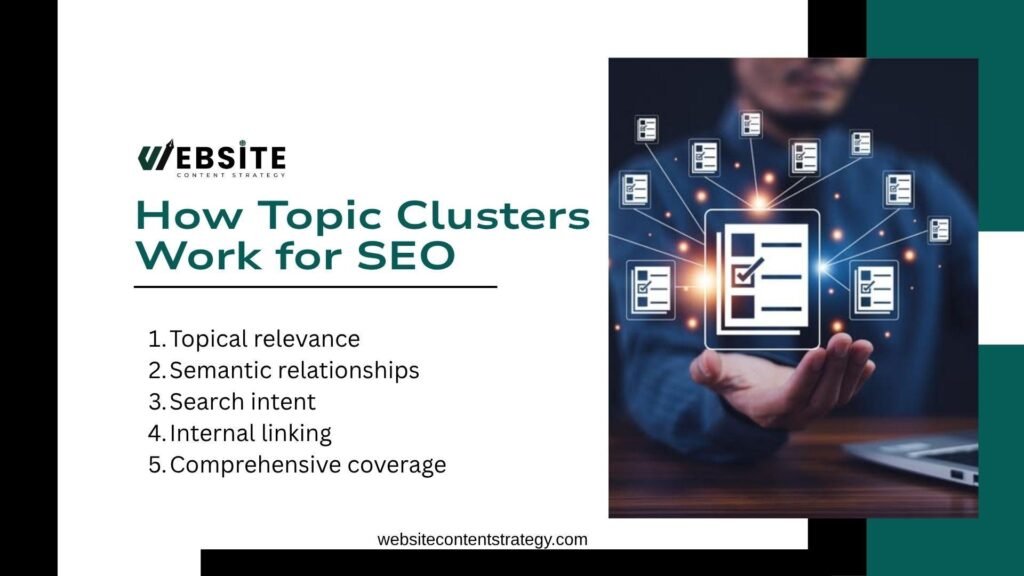
Search engines reward sites that cover a subject fully and connect their content logically. A cluster signals depth, not just a single lucky page, and sends clear signals to search engines about your real expertise. This structure genuinely helps search engines understand how every page in the cluster relates to the others.
These factors explain why clusters perform better than isolated posts. Each one strengthens how Google and AI engines read your site.
- Topical relevance: Multiple pages on one subject prove you understand it deeply.
- Semantic relationships: Related terms and concepts, powered by semantic search, help engines map your expertise.
- Search intent: Each page matches a specific reason someone searches.
- Internal linking: Links pass authority and guide crawlers through your content.
- Comprehensive coverage: Answering every angle reduces the need to leave your site.
Topic Cluster vs. Traditional Blog Strategy
Many teams still publish posts one keyword at a time. Comparing both approaches shows why the cluster model wins for long-term growth.
| Factor | Traditional Blog Strategy | Topic Cluster Strategy |
| Keyword focus | Individual keywords | Connected topic ecosystem |
| Content format | Standalone articles | Pillar + supporting content |
| Planning method | Keyword-focused | Topic and intent-focused |
| Publishing rhythm | Random publishing | Strategic content planning |
| Linking approach | Limited internal linking | Structured internal linking |
What Is a Pillar Page Strategy?
A pillar page strategy centers your content on one page that anchors an entire topic. The pillar acts as the home base for every related article, and getting pillar page creation right early saves rework later.
What Is a Pillar Page?
A pillar page is a broad, authoritative resource that introduces a topic and links out to deeper articles. It gives readers the full picture in a single page, then points them to specifics using relevant keywords woven naturally throughout.
What Makes a Strong Pillar Page?
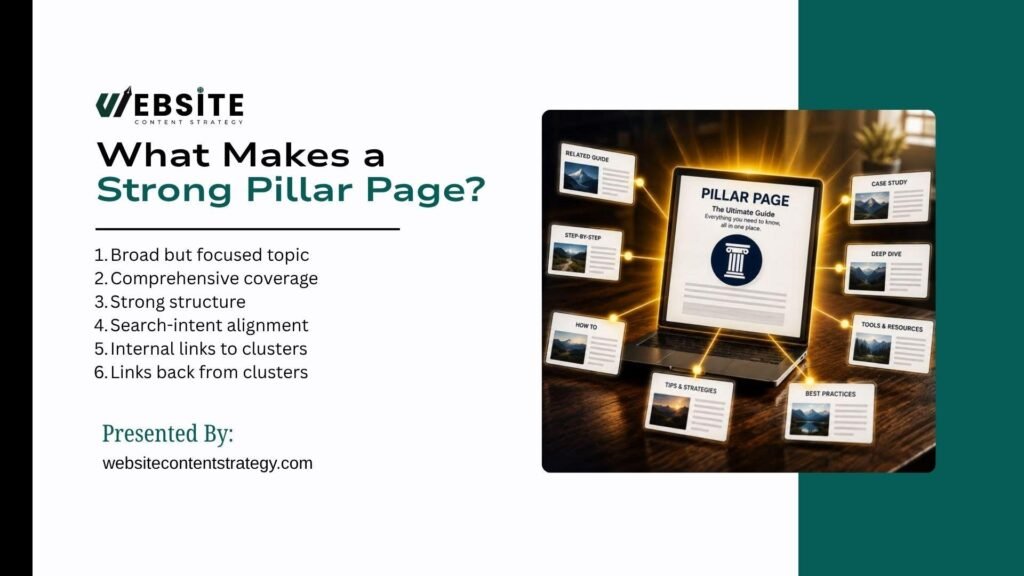
A weak pillar reads like a bloated blog post. A strong one earns links, ranks for competitive terms, and guides readers deeper.
Check your pillar against these traits before you publish. Each one improves both rankings and reader experience.
- Broad but focused topic: Wide enough to branch out, narrow enough to stay useful, avoiding a very narrow topic that limits growth.
- Comprehensive coverage: Touches every major subtopic without draining the detail.
- Strong structure: Uses clear H2s and H3s so readers scan easily, and helps you structure content logically from the start.
- Search-intent alignment: Matches what people actually want from the main query, keeping true user intent at the center.
- Internal links to clusters: Sends readers to supporting pages for depth.
- Links back from clusters: Every cluster page returns authority to the pillar.
How Long Should a Pillar Page Be?
Length depends on topic complexity and reader needs, not a fixed word count. A simple topic may need 1,500 words. A technical subject may need far more. Cover the topic fully, then stop. Padding a page to hit a number hurts readability and adds no value.
Pillar Page vs. Cluster Page
The pillar and cluster serve different jobs. The pillar gives breadth and overview. The cluster gives depth on one narrow question. Confusing the two leads to overlap, where both pages compete for the same term and neither wins.
What Is Hub and Spoke Content?
Hub and spoke content describes the same structure from a visual angle. A central hub connects to supporting spokes, much like a wheel.
The Hub
The hub is your pillar page. It provides the broad overview and acts as the main entry point for the topic. Readers and search engines both start here to understand the full subject.
The Spokes
The spokes are your cluster articles. Each spoke explores one subtopic in far greater depth than the hub allows. A spoke answers a single question completely instead of touching many lightly.
How the Hub and Spokes Connect
Connection is where most teams fail. Publishing pages without linking them leaves the structure incomplete.
These elements turn separate pages into one working system. Get them right and the architecture does its job.
- Contextual internal links: Place links inside relevant sentences, not just footers.
- Anchor text: Use descriptive phrases that tell readers what to expect.
- Hierarchy: Keep the hub above the spokes in your site structure.
- User navigation: Make it easy to move between related pages.
- Topical relationships: Link spokes that share a natural connection.
Hub and Spoke vs. Topic Cluster
Hub and spoke and topic clusters describe the same core architecture. The terms overlap heavily. “Hub and spoke” stresses the visual layout, while “topic cluster” stresses topical authority. Both point to a pillar surrounded by connected support pages.
Why Build Topic Clusters for SEO?
Clusters solve problems that single posts cannot. They compound in value as you add pages and connect them.
The reasons below explain why serious content teams commit to this model. Each benefit builds on the last.
- Build topical authority: Deep coverage signals real expertise to search engines.
- Cover multiple queries: One cluster ranks for dozens of related searches.
- Improve internal linking: A planned structure spreads authority across pages.
- Create better user journeys: Readers move logically from broad to specific.
- Reduce content gaps: Mapping the topic reveals questions you have missed.
- Make production strategic: You plan around a system, not random ideas.
- Support commercial pages: Informational content feeds your money pages.
How to Build a Topic Cluster Content Strategy Step by Step
This is the core of any successful topic cluster content strategy. Follow these steps in order to move from business goals to a connected, measurable system.
Step 1: Define Your Core Business Topics
Start with subjects that matter to both search demand and revenue. A cluster only pays off when it supports your business, not just traffic.
Review these areas to find topics worth owning. The best candidates sit where target audience interest meets commercial value.
- Products and services: Subjects that describe what you sell.
- Customer problems: Pain points your audience searches to solve.
- Industry topics: Broad themes that define your field.
- Revenue-driving subjects: Areas that lead to sales or leads.
- Areas of expertise: Topics where you can prove real authority.
Step 2: Choose Your Core Topic
Pick one topic to build first. The right choice balances demand, breadth, and business fit.
Weigh each candidate against these factors before you commit. A topic that scores well across all of them becomes a strong pillar.
- Business relevance: Ties directly to what you offer.
- Search demand: Enough people search for it to justify the work, ideally with high search volume behind it.
- Topic breadth: Wide enough to support many cluster pages, not a broad keyword so vague it defies structure.
- Audience importance: Matters to the people you want to reach.
- Commercial potential: Leads toward conversions over time.
- Existing authority: Builds on strengths you already have in your existing content.
Step 3: Analyze Search Intent
Every topic hides different reasons for searching. Map intent before you write so each page serves a clear purpose.
Different intent types call for different content formats. A guide suits research, while a comparison page suits buyers.
- Informational: People want to learn something.
- Commercial: People compare options before buying.
- Transactional: People are ready to act or purchase.
- Navigational: People look for a specific brand or page.
Step 4: Perform Topic and Keyword Research
Pick one topic to build first. The right choice balances demand, breadth, and business fit.
Weigh each candidate against these factors before you commit. A topic that scores well across all of them becomes a strong pillar.
- Business relevance: Ties directly to what you offer.
- Search demand: Enough people search for it to justify the work, ideally with high search volume behind it.
- Topic breadth: Wide enough to support many cluster pages, not a broad keyword so vague it defies structure.
- Audience importance: Matters to the people you want to reach.
- Commercial potential: Leads toward conversions over time.
- Existing authority: Builds on strengths you already have in your existing content.
Step 5: Analyze Competitor Topic Coverage
Competitors show you what already ranks. Study their clusters to find both strengths and openings.
Examine these elements across top-ranking sites. This review tells you where to match them and where to beat them.
- Competitor pillar pages: How they frame the core topic.
- Supporting articles: Which subtopics they cover.
- Common subtopics: Themes every competitor addresses.
- Missing topics: Questions no one answers well.
- Weak explanations: Areas you can cover more clearly.
- Outdated information: Content ripe for a fresher take.
- Unanswered questions: Gaps that become your opportunity.
Find Competitor Content Gaps
Gaps are your fastest path to ranking. When several competitors ignore a subtopic, that subtopic becomes a new cluster page. Turn each unanswered question into an article that serves the reader better than anything currently ranking.
Step 6: Identify the Pillar Page Topic
Not every topic deserves to be the hub. Decide what earns the central role.
Define the Pillar Page’s Scope
Set clear boundaries for the pillar. It should cover the broad topic without drowning in detail that belongs on cluster pages.
Decide What Should Stay on the Pillar
Keep overviews, definitions, and summaries on the pillar. These give readers the full picture in one place.
Decide What Deserves Its Own Cluster Article
Move any subtopic that needs deep, standalone coverage to its own page. If a section grows long enough to rank alone, it belongs in a cluster.
Step 7: Map Your Cluster Content
A content map keeps your cluster organized. Build one before you write a single word.
A useful map records every detail you need to plan and track. These fields turn a vague idea into an actionable plan.
- Pillar page: The central hub of the cluster.
- Cluster topics: Each supporting subtopic.
- Target keyword: The main term per page.
- Search intent: The reason behind each query.
- Audience stage: Where the reader sits in the journey.
- Content type: Guide, blog, comparison, or article.
- URL: The planned web address.
- Internal links: Where each page should link.
Step 8: Group Keywords by Search Intent and Topic
Grouping prevents pages from competing with each other. It keeps your cluster clean and focused.
Careful grouping helps you avoid three common failures. Each one wastes effort and hurts rankings.
- Keyword cannibalization: Two pages fighting for the same term.
- Duplicate articles: Two posts saying the same thing.
- Overlapping intent: Multiple pages targeting one search need.
Step 9: Build the Internal Linking Structure
Internal links carry the weight of the whole cluster. They should serve the reader first, not inflate link counts.
Plan these link paths so authority and readers flow in the right directions. Each connection has a purpose.
- Pillar to cluster: Guide readers from overview to detail.
- Cluster to pillar: Return authority to the hub.
- Cluster to related cluster: Connect closely tied subtopics.
- Commercial page to informational content: Feed money pages with context.
- Contextual anchor text: Use clear phrases inside relevant sentences.
Step 10: Create and Optimize the Pillar Page
The pillar sets the tone for the cluster. Build it to earn links, rank, and guide readers deeper.
Include these elements to make the pillar strong. Each one supports both readers and search engines.
- Clear H1: States the topic in plain terms.
- Strong introduction: Explains the value fast.
- Comprehensive coverage: Touches every major subtopic.
- Logical H2/H3 structure: Makes the page easy to scan.
- Supporting links: Point to every cluster page.
- Original insights: Add views readers cannot find elsewhere.
- Helpful examples and media: Show concepts in action.
- Clear CTA: Tell readers what to do next.
Step 11: Create the Cluster Content
Each cluster article earns its place by answering one question well. It should never repeat the pillar.
Every cluster page needs to meet a clear standard. These rules keep each article useful and distinct.
- Satisfy its own search intent.
- Go deeper into one subtopic.
- Avoid duplicating the pillar.
- Link naturally back to the pillar.
- Link to relevant neighboring content.
- Provide unique value readers cannot get elsewhere.
Step 12: Publish and Connect the Cluster
Publishing alone does not finish the job. Pages left unlinked waste most of the architecture’s value. As you publish each page, add its links to the pillar and to related clusters right away. A connected cluster performs far better than a folder of orphaned posts.
Step 13: Monitor and Improve the Cluster
A cluster is never truly done. Track its performance and refine it over time.
Watch these signals to judge how the cluster grows. Together they show whether the system works as one.
- Rankings and impressions: How visible the pages become.
- Organic clicks and CTR: How often readers choose you.
- Organic traffic: Total visitors the cluster attracts.
- Conversions: Leads or sales the content assists.
- Internal-link performance: How readers move between pages.
- New keyword visibility: Extra terms the cluster starts to rank for.
How to Find Topics for Your Content Cluster
Strong clusters start with real demand. Use several sources to find subtopics worth covering.
These methods surface questions your audience actually asks. Combine them for the fullest view of a topic.
- Start with audience problems: List the pain points your customers face.
- Use keyword research: Find terms with clear demand and intent.
- Analyze Google SERPs: See what already ranks and why.
- Mine People Also Ask: Collect direct questions from searchers.
- Analyze related searches: Spot connected queries at the page bottom.
- Study competitor content: Learn which subtopics they cover.
- Use existing website data: Find pages that already attract interest.
- Review Search Console queries: See real terms that bring you traffic.
- Find unanswered questions: Spot gaps your current content ignores.
How to Create a Topic Cluster Keyword Map
A keyword map turns research into a plan. It shows how every page fits the cluster before you write.
This framework keeps intent, format, and links visible in one view. Use it to plan and avoid overlap.
| Content Level | Topic | Keyword | Search Intent | Content Type |
| Pillar | Core topic | Primary keyword | Informational | Guide |
| Cluster | Subtopic 1 | Secondary keyword | Informational | Blog |
| Cluster | Subtopic 2 | Long-tail keyword | Commercial | Guide |
| Cluster | Subtopic 3 | Question keyword | Informational | Article |
How to Structure Internal Links Within a Topic Cluster
Internal links give a cluster its shape. Build them with intent, not as an afterthought.
These practices keep your links useful and safe. Each one supports readers first and rankings second.
- Link from the pillar to supporting pages: Guide readers to detail.
- Link from supporting pages to the pillar: Return authority to the hub.
- Connect closely related cluster pages: Join subtopics that belong together.
- Use descriptive anchor text: Tell readers where a link leads.
- Avoid forced or excessive links: Add links only where they help.
- Audit links after publishing: Fix orphaned pages and broken paths.
Example of a Topic Cluster Content Strategy
A real example makes the model clear. Consider a cluster built around SEO for real estate.
The pillar covers the broad topic, while each cluster answers a specific question. This layout shows how a full cluster fits together.
- Pillar topic: SEO for Real Estate
- Cluster 1: Local SEO for Real Estate
- Cluster 2: Real Estate Keyword Research
- Cluster 3: Real Estate Content Marketing
- Cluster 4: Technical SEO for Real Estate
- Cluster 5: Real Estate Link Building
- Cluster 6: Google Business Profile for Realtors
- Cluster 7: Real Estate SEO Mistakes
The links follow a clear path: Pillar to Cluster, Cluster to related Cluster, then Cluster to a commercial page. For example, the Local SEO cluster links to the pillar, connects to the Google Business Profile cluster, and points readers toward a paid SEO service page.
Conclusion
A well-built topic cluster content strategy turns scattered posts into a connected system that search engines can actually understand and reward. By pairing one strong pillar with focused cluster pages and deliberate internal links, you build real topical authority instead of chasing individual keywords one at a time. This approach strengthens your broader content marketing strategy, covers more search intent, and compounds in value with every new page you add.
Ready to build a cluster that actually ranks? Partner with Website Content Strategy to plan, map, and execute a topic cluster built around your specific business goals.
Frequently Asked Questions
How many cluster pages should a topic cluster have?
There is no fixed number. A narrow topic might need only three or four cluster pages, while a broad, competitive subject can support a dozen or more. Focus on covering every genuine subtopic your audience searches for, rather than hitting an arbitrary count just to make the cluster look complete.
Can a topic cluster hurt my rankings if built incorrectly?
Yes, poor structure can cause real problems. Overlapping cluster topics targeting the same keyword create cannibalization, where pages compete against each other instead of the competition. Weak or missing internal links also leave pages orphaned, so search engines struggle to understand how they connect to your pillar and to the rest of the site.
How long does it take to build a full topic cluster?
Timelines vary based on cluster size and team capacity, but most complete clusters take two to six months from research to full publication. Larger, more competitive topics with ten or more cluster pages naturally take longer, especially when each page requires original research, careful internal linking, and ongoing performance review after launch.
Should I update an existing pillar page or start from scratch?
If your existing content already ranks reasonably well, restructure and expand it into a pillar rather than starting over. Add missing subtopics as new cluster pages and build internal links between them carefully. Starting fresh only makes sense when the existing page targets the wrong intent entirely, or the topic has shifted significantly since it was first written.
Do topic clusters work for small or new websites?
Yes, topic clusters often work even better for smaller sites, since they concentrate limited authority into one well-organized subject instead of spreading it thin. Starting with a narrower core topic and a handful of tightly focused cluster pages lets a new site build real topical authority faster than isolated, unconnected posts.