
A website content audit checklist guides you through reviewing every page on your site to see what works, what needs updating, and what should go. The process combines a content inventory with a full SEO content audit, measuring quality, search visibility, user intent, and conversions. This website audit checklist works for a complete website audit covering an entire site, or a narrower review of just a few key pages.
You then run a content gap analysis and assign each page a clear action. This turns raw data into a focused content optimization plan.
What Is a Website Content Audit?
A website audit is a structured review of every content asset on your site. You assess each page against quality, search performance, relevance, and business value. Then you decide what to keep, update, merge, or remove.
You can audit almost any content type: blog posts, service pages, product pages, landing pages, guides, case studies, and resource libraries.
An audit is different from checking pages for errors. A spell check or broken-link scan looks for surface problems. A site audit connects content performance to real goals: rankings, traffic, leads, and revenue.
What Does a Website Content Audit Analyze?
A strong website content analysis looks past word count. It measures how each web pages performs and whether it earns its place, revealing the truth about website’s performance overall.
The key signals to review include:
- Content quality: Whether the page is accurate, useful, and well-written.
- Relevance: Whether the topic still matches your audience and offer.
- Search visibility: How well the page ranks and appears in search, and how that affects overall domain authority and seo performance.
- Search intent: Whether the content matches what users actually want.
- Organic traffic: How many visitors arrive from search, tracked as organic search traffic over time.
- Engagement: How users interact once they land.
- Conversions: Whether the page drives leads, sales, or signups.
- Internal links: How well the page connects to related content.
- Backlinks: The external authority pointing to the page.
- Content freshness: Whether information is current.
- Duplicate or thin content: Pages that repeat or add little value.
- Content gaps: Topics your audience wants but you have not covered.
Content Audit vs. Content Inventory
People often confuse these two terms, but they answer different questions.
A content inventory answers: What content do you have? It is a complete list of your website pages and their basic details.
A content audit answers: How well is that content performing, and what should you do with it? The inventory is the raw list you collect data into. The audit adds judgment and action on top of that content audit data.
Why Should You Conduct a Website Content Audit?
An audit turns guesswork into evidence. Instead of guessing which pages matter, you get clear data on what to fix first, which strengthens your broader content marketing strategy.
Here is what a content performance audit helps you achieve:
- Identify underperforming content: Spot pages that drain resources without results.
- Update instead of rewrite: Refresh strong pages rather than starting from scratch.
- Discover content gaps: Find topics your audience searches for but cannot find on your site.
- Improve organic search: Fix ranking pages that sit just below the top spots.
- Remove low-value pages: Cut low quality content that weakens site quality.
- Improve user experience: Make pages easier to read, scan, and act on.
- Find internal linking opportunities: Connect related pages to spread authority.
- Align content with goals: Make sure every page supports a real business outcome.
When Should You Perform a Website Content Audit?
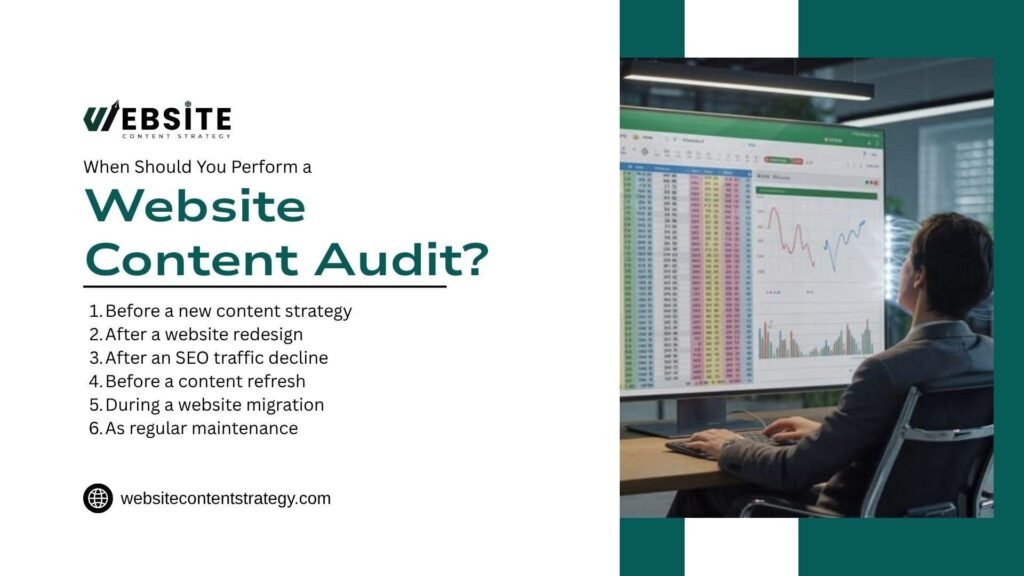
Timing depends on your goals. Some moments call for a full audit, while others only need a targeted check.
Run an audit in these situations:
- Before a new content strategy: Understand your starting point before planning ahead.
- After a website redesign: Confirm content survived the move and still performs.
- After an SEO traffic decline: Diagnose which pages lost visibility and why.z
- Before a content refresh: Decide which pages deserve updates.
- During a website migration: Protect rankings and redirect the right URLs.
- As regular maintenance: Keep content current on a recurring schedule.
Audit frequency depends on your website size, publishing volume, industry, and how quickly your information becomes outdated. A fast-moving tech blog needs more frequent audits than a small local service site.
What You Need Before Starting a Content Audit

Good data leads to good decisions. Gather your tools and sources before you begin so the audit runs smoothly.
You will need the following inputs:
- Website URL and page list: A full list of every content URL on your site.
- Google Search Console data: Impressions, clicks, CTR, and queries.
- Google Analytics data: Traffic, engagement, and conversion metrics.
- Keyword and ranking data: Where each page ranks for target terms.
- Backlink data: Which pages earn external links.
- CMS data: Publish dates, authors, and content types.
- Content strategy and business goals: Your intended direction and priorities.
- Competitor content data: How rival pages cover the same topics.
Beyond these inputs, a handful of dedicated audit tools and content audit tools speed up data collection considerably, especially across a site with hundreds of pages.
Step 1: Create a Complete Content Inventory
Your content inventory is the foundation of the entire audit. It lists every page and the data you need to evaluate it. Without a complete inventory, you risk missing pages that quietly hurt your site.
What to Include in Your Content Inventory
A useful inventory records both descriptive details and performance data. This lets you sort, filter, and prioritize pages fast.
Track these fields for every URL:
| Field | What to Record |
| URL | Page address |
| Title | Current page title |
| H1 | Main heading |
| Content type | Blog, landing page, guide, etc. |
| Target keyword | Main query |
| Word count | Approximate length |
| Organic traffic | Search performance |
| Rankings | Important keywords |
| Backlinks | Link authority |
| Conversions | Business performance |
| Last updated | Content freshness |
| Action | Keep, update, merge, redirect, remove |
How to Find Every Important Content URL
Missing pages create blind spots. Use several sources so you capture every URL that matters and correctly identify pages worth deeper review.
Pull your URLs from these places:
- XML sitemap: A quick list of indexable pages.
- CMS: Your platform’s full page and post list.
- Website crawler: Tools like Screaming Frog that rely on search engine crawlers logic to find linked pages across your site structure.
- Google Search Console: Pages that earn impressions and clicks.
- Analytics: Pages that receive real traffic.
- Existing content databases: Spreadsheets or records you already keep.
Step 2: Categorize Your Website Content

Categories help you analyze content in groups rather than one page at a time. They also reveal patterns, such as too much awareness content and too few decision pages.
Categorize by Content Type
Sort each page by format so you can compare like with like. Common types include blog posts, service pages, product pages, landing pages, guides, case studies, resources, and FAQs.
Categorize by Topic
Group pages by subject to see where your coverage is strong and where it is thin. This makes your content gap analysis far easier later.
Categorize by Funnel Stage
Mapping pages to the buyer journey shows where you lose momentum. A gap at any stage means visitors have nowhere to go next.
The four stages to track are:
- Awareness: Educational content that introduces a problem.
- Consideration: Comparisons and guides that weigh options.
- Decision: Pages that push users to buy or contact you.
- Retention: Content that keeps existing customers engaged.
Categorize by Search Intent
Search intent tells you why someone searches. Matching intent is one of the biggest ranking factors.
Label each page with its intent:
- Informational: The user wants to learn something.
- Commercial: The user compares products or services.
- Transactional: The user is ready to act or buy.
- Navigational: The user looks for a specific brand or page.
Step 3: Evaluate Content Quality and Relevance
Quality is more than length. A 2,000-word page can still fail if it misses intent or repeats filler.
Ask these questions of every important page:
- Does it satisfy search intent? Match the format and depth users expect.
- Does it answer the main question? Give a clear response near the top.
- Is the information accurate? Check facts, dates, and figures.
- Is the content original? Add real insight, not recycled ideas.
- Does it show experience and expertise? Include first-hand knowledge and proof.
- Is it still relevant? Confirm the topic still matters to your audience.
- Does it provide enough depth? Cover the topic fully without padding.
- Is it easy to read and scan? Use short paragraphs, headings, and lists.
Step 4: Perform an SEO Content Audit

An seo audit checks the technical and on-page factors that affect rankings. Even great content underperforms with weak SEO signals, and this step is where most of the real search optimization work happens.
Review these elements for each page:
- Title tags and meta descriptions: Make them clear, unique, and keyword-relevant.
- Heading structure: Use one H1 and logical H2 and H3 sections.
- Keyword targeting: Confirm each page targets a clear primary keyword.
- Search intent alignment: Match content to the query behind the keyword.
- Internal links: Link to and from related pages with useful anchor text.
- External links and sources: Cite credible, working references.
- Canonicalization and indexability: Ensure the right pages can be indexed.
- Image optimization: Add alt text and compress large files.
- Structured data: Apply schema where it fits, such as FAQs or reviews.
- Duplicate or cannibalizing content: Find pages competing for the same term.
- Thin or low-value pages: Flag pages with little useful content.
An accessibility audit often gets overlooked here too, even though it directly affects both user experience and certain ranking signals tied to overall technical performance.
Step 5: Analyze Organic Search Performance
Use real data, not assumptions. Search Console and Analytics reveal how each page actually performs in search.
Track these performance signals:
- Organic traffic: Total visits from search.
- Impressions: How often the page appears in results.
- Clicks: How many users choose your listing.
- Click-through rate: The share of impressions that become clicks.
- Keyword rankings: Your position for target terms.
- Pages losing traffic: Content that needs a refresh or fix.
- Pages gaining traffic: Content worth expanding.
- High impressions but low CTR: Pages that need better titles and descriptions.
- Pages ranking on the second page: Terms sitting in positions 11–20.
Pages ranking around positions 5 to 20 often hold the strongest opportunities. They already have visibility, so small improvements can move them onto page one and multiply their traffic.
Step 6: Analyze Content Engagement and Conversions
Traffic alone does not pay the bills. Engagement and conversion data show whether visitors act.
Engagement Metrics
Engagement reveals how users respond once they land. Weak engagement often signals a mismatch with intent.
Review these signals:
- Engagement rate: Active time spent on the page.
- Scroll behavior: How far users read.
- Returning users: Whether the page brings people back.
- Exit behavior: Where users leave your site.
Conversion Performance
Connect content to outcomes. Track the actions that matter to your business.
Measure conversions such as:
- Form submissions
- Leads
- Purchases
- Demo requests
- Contact clicks
- Newsletter signups
Identify High-Traffic but Low-Conversion Content
These pages attract visitors but fail to persuade. Add stronger calls to action, clearer offers, or better internal links to conversion pages.
Identify Low-Traffic but High-Conversion Content
These pages convert well but reach few people. Boost their traffic through SEO improvements and internal links from popular pages.
Step 7: Identify Content Gaps
A content gap analysis shows what your audience wants but cannot find on your site. Filling these gaps often delivers the fastest growth.
Use these methods to find gaps:
- Find topics your audience searches for: Mine keyword tools and Search Console queries.
- Compare coverage with competitors: See which topics rivals rank for and you do not.
- Identify missing subtopics: Add depth to pages that only skim a topic.
- Find unanswered questions: Check forums, FAQs, and “People also ask” boxes.
- Identify missing funnel-stage content: Fill gaps in the buyer journey.
- Find topics that need supporting content: Build articles that reinforce key pages.
- Identify opportunities for new content: Spot fresh topics with real demand.
Step 8: Analyze Competitor Content
Competitor research sets the baseline. It shows what already ranks so you can find room to do better.
Identify Your Actual Search Competitors
Your search competitors may differ from your business rivals. A large publisher can outrank you for a keyword even if it does not sell what you sell. Focus on who ranks for your target terms.
Compare Coverage, Intent, and Depth
Study how top pages treat the topic. Compare topic coverage, search intent, content depth, and structure to see where you fall short.
Look for these signals:
- Topic coverage: Subtopics rivals include that you skip.
- Search intent: Whether their format matches the query better.
- Content depth and structure: How thoroughly they answer the question.
- Competitor content gaps: Weak spots you can improve on.
The goal is not to copy competitor headings. Use this research to understand the SERP baseline, then add extra value that makes your page the better choice.
Step 9: Check for Content Cannibalization
Cannibalization happens when several pages compete for the same keyword. This splits your ranking signals and confuses search engines.
How to Identify and Fix Competing Pages
Search Console shows when multiple URLs rank for one query. Once you spot them, choose the right fix.
Use these rules to decide:
- Merge pages: When two pages cover the same intent, combine them into one stronger page.
- Differentiate intent: When pages serve different needs, adjust each to target a distinct query.
- Redirect or remove: When a page adds no value, redirect it to a stronger page or remove it.
Step 10: Evaluate Internal Linking
Internal links guide users and pass authority between pages. A weak linking structure buries your most important content.
Review your internal links with these steps:
- Find pages with too few internal links: Orphaned pages struggle to rank.
- Identify important pages that need authority: Point more links to key commercial pages.
- Add contextual internal links: Link within body text, not just menus.
- Review anchor text: Use descriptive, relevant phrases.
- Build topic clusters: Connect supporting articles to broader pillar pages.
Topic clusters link related articles to a central pillar page and to your key commercial pages. This structure signals expertise and helps users move toward conversion.
Step 11: Check Content Freshness
Outdated content erodes trust and rankings. A freshness review keeps your pages accurate and competitive.
Update these elements during your review:
- Outdated statistics: Replace old numbers with current data.
- Old recommendations: Revise advice that no longer applies.
- Broken or outdated sources: Swap in credible, working links.
- Examples and screenshots: Update visuals to reflect current tools.
- Time-sensitive information: Correct dates, prices, and offers.
- New developments: Add recent insights and trends.
Step 12: Decide What to Do With Every Page
Every page needs a clear action. This is the core decision of your content audit checklist.
Assign one of five actions to each URL:
- Keep: For content that performs well and stays relevant.
- Update: For valuable content with outdated or incomplete information.
- Improve: For content that needs better SEO, structure, UX, or conversion elements.
- Consolidate: For overlapping or competing pages that work better as one.
- Remove or redirect: For content with little value and no strategic purpose.
Content Audit Scoring Framework
A simple score removes emotion from your decisions. It helps you rank pages by importance and act on the highest-value items first.
Score each page from 1 to 5 across ten factors, then compare totals to set priority. The table below shows how each factor maps to the actions you might take.
| Scoring Factor | What It Measures | Weak Signal | Strong Signal | Likely Action |
| Traffic & rankings | Search visibility | Low or falling | High or rising | Keep or improve |
| Search intent | Match to user need | Mismatched | Aligned | Update or keep |
| Content quality | Accuracy and depth | Thin, outdated | Thorough, current | Improve or keep |
| Conversions | Business results | No action driven | Strong results | Keep or promote |
| Backlinks & links | Authority signals | Orphaned page | Well-linked | Improve or keep |
After scoring, classify each page as High Priority, Medium Priority, or Low Priority. Start with high-priority pages that affect revenue and rankings most.
Website Content Audit Checklist
This is the checklist you can copy and reuse for every audit. Work through each section in order for a complete review.
Content Inventory
- All important URLs collected
- Content categorized
- Content type recorded
- Target keyword identified
- Last update recorded
SEO
- Search intent checked
- Title reviewed
- Meta description reviewed
- Heading structure checked
- Internal links reviewed
- External sources checked
- Indexability checked
- Canonical checked
- Duplicate content checked
- Keyword cannibalization checked
Quality
- Content is accurate
- Content is useful
- Content is original
- Content demonstrates expertise
- Content is readable
- Content is up to date
Performance
- Traffic analyzed
- Impressions analyzed
- CTR analyzed
- Rankings analyzed
- Conversions analyzed
- Engagement analyzed
Action
- Keep
- Update
- Improve
- Consolidate
- Redirect
- Remove
Content Audit Template
A content audit template keeps your data in one place. It lets you sort, score, and act on every page from a single sheet.
| URL | Topic | Keyword | Intent | Traffic | Rankings | Conversions | Quality | Freshness | Action | Priority |
| /example | Sample | keyword | Info | 500 | #8 | 12 | Good | Stale | Update | High |
How to Use the Content Audit Template
Follow a simple sequence so the template stays organized and useful.
Work through these steps:
- Populate the inventory: Add every URL and its basic details.
- Add performance data: Pull traffic, rankings, and conversions.
- Score each URL: Rate quality, relevance, and value.
- Assign an action: Choose keep, update, improve, consolidate, or remove.
- Prioritize updates: Sort by score and business value.
- Create a roadmap: Schedule the work over weeks or months.
Conclusion
A website content audit checklist turns a vague sense that “something is not working” into a clear, prioritized action plan. By combining a full content inventory with SEO, quality, and performance data, you replace guesswork with evidence at every stage.
Work through the twelve steps in order, score each page honestly, and assign a real action, whether that means keeping, updating, or removing it entirely. Revisit the process on a regular schedule, since your website traffic and rankings will keep shifting as search engines update their algorithms and your audience’s needs evolve over time.
Frequently Asked Questions
What is included in a website content audit checklist?
A complete checklist covers content inventory, SEO factors, quality checks, and performance data. This includes URL collection, target keywords, search intent alignment, title tags, internal links, traffic, rankings, and conversions. Each page then gets a final action: keep, update, improve, consolidate, or remove, based on how it scores across these combined factors.
How often should I run a website content audit?
Frequency depends on your site size, publishing volume, and industry. A fast-moving blog or e-commerce site benefits from quarterly reviews, while a smaller local service site can often audit twice a year instead. Always run one after a redesign, migration, or noticeable traffic decline, regardless of your regular audit schedule.
What is the difference between a content audit and a content inventory?
A content inventory is simply a list of every page on your site with basic details like URL, title, and content type. A content audit goes further, adding judgment: how well each page performs and what action it needs. Think of the inventory as raw data and the audit as the analysis built on top of it.
What tools do I need for a website content audit?
At minimum, you need Google Search Console and Google Analytics for performance data, plus a crawler like Screaming Frog to find every URL across your site. A keyword research tool helps track rankings, and a spreadsheet or dedicated content audit tool keeps everything organized so you can score and prioritize pages consistently.
How do I decide whether to update or remove a page?
Base the decision on both performance and relevance. A page with real traffic or backlinks but outdated information usually deserves an update rather than removal. A page with no traffic, no backlinks, and no strategic purpose is a stronger candidate for removal or a redirect to a more relevant, higher-performing page.